◎
扫描与导入
Scan & import
实时找边、拍后拖四角微调并自动拉正;支持从相册与文件直接导入,还能从相册一键挑选现有证件照。
Live edge detection, drag-to-adjust corners, and perspective flattening. Import from Photos and Files, or automatically sweep existing ID photos from your library.

扫描自动找边,端内识别文字与有效期,敏感号码默认遮盖;出门办事把所需材料装进材料包,加上用途水印,一次整齐交齐。
Scan with automatic edge detection, recognize text and expiry dates entirely on device, and keep sensitive numbers masked. Bundle what an application needs into packets, add purpose watermarks, and export ready-to-submit copies in one go.
免费保存 10 份证件 · iPhone 与 iPhone Duo · 简繁英日韩五种语言
Free for up to 10 documents · iPhone & iPhone Duo · 5 languages
功能Features
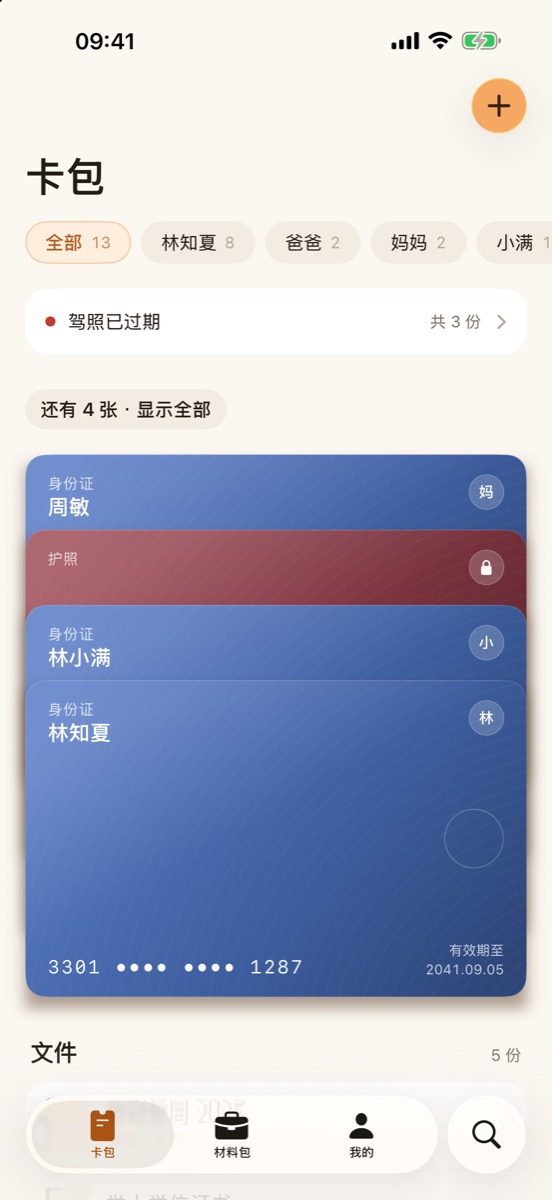
身份证、户口本、护照、驾照、证书、合同、票据……需要时一下就能找到、拿得出手。
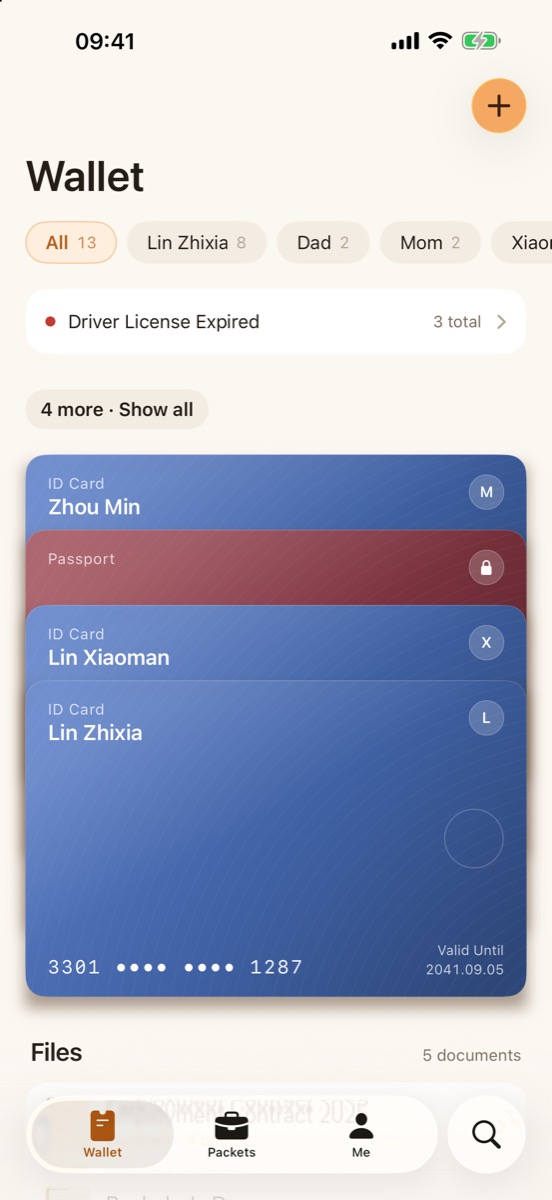
IDs, passports, licenses, certificates, contracts and receipts — easy to find and ready to submit.
实时找边、拍后拖四角微调并自动拉正;支持从相册与文件直接导入,还能从相册一键挑选现有证件照。
Live edge detection, drag-to-adjust corners, and perspective flattening. Import from Photos and Files, or automatically sweep existing ID photos from your library.
文字与有效期均在 iPhone 端内识别(简繁中、英、日),毫秒级检索标题与正文,临期自动预警。
Text and expiration dates are recognized directly on your iPhone (Chinese, English, Japanese). Instant search by title or full body text, with expiry alerts.
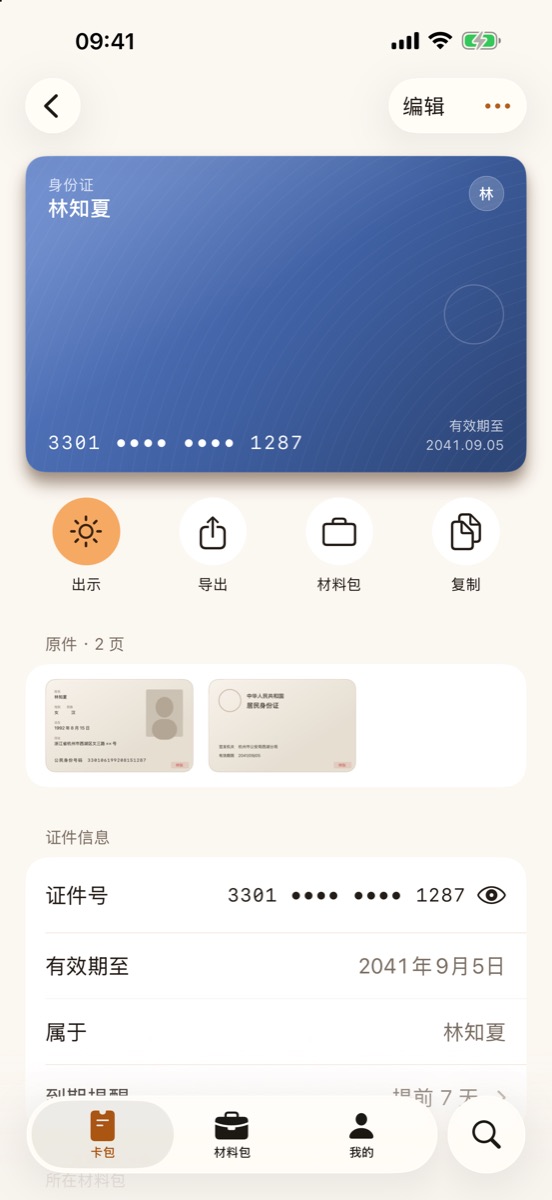
敏感号码默认遮盖防偷窥,查看或复制需生物认证;重要证件还可单独使用 Face ID 锁定保护。
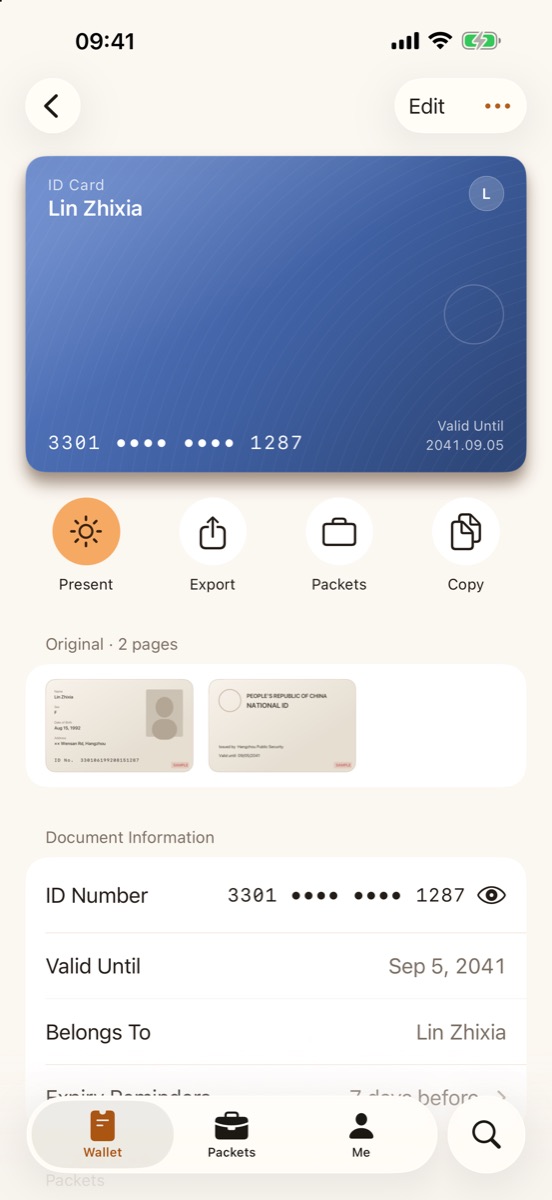
Sensitive numbers stay masked against shoulder surfing until authenticated. Lock confidential documents individually with Face ID or Touch ID.
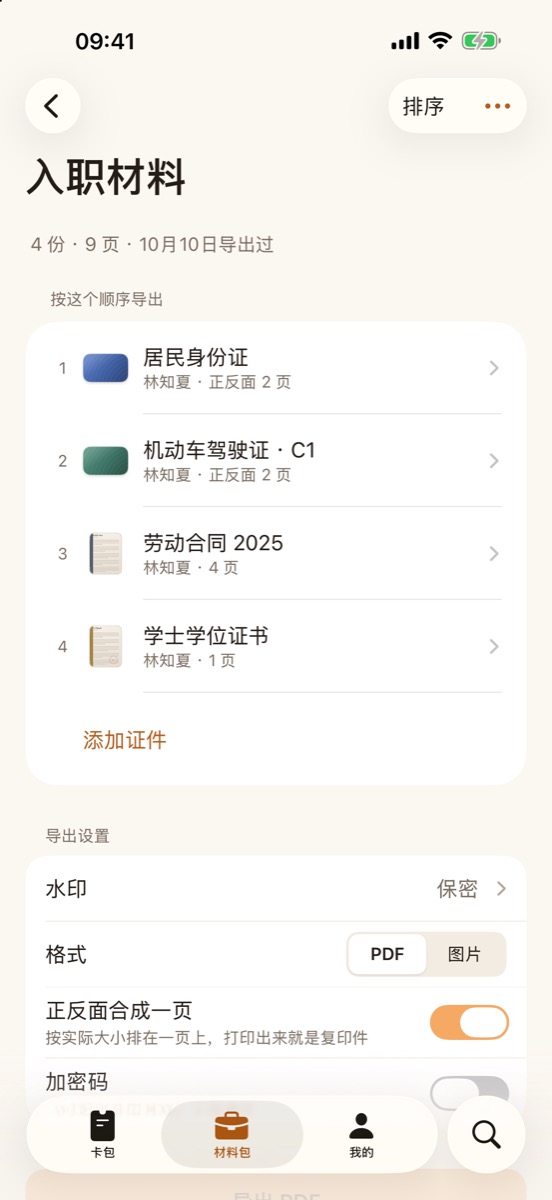
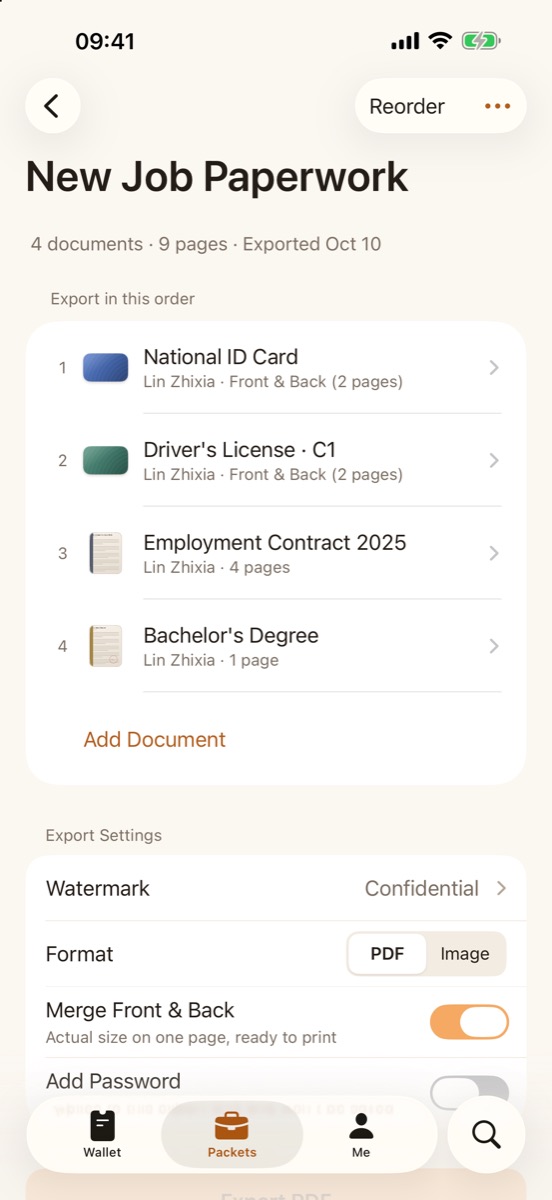
单次办事所需证件集中收进材料包,自由拖动排序,正反面 1:1 实物原大拼版,导出规范 PDF 或图片,支持临时密码。
Gather what one application needs into a packet, drag to reorder, merge front and back into 1:1 scale photocopies, and export ready-to-submit PDFs or images with optional passwords.
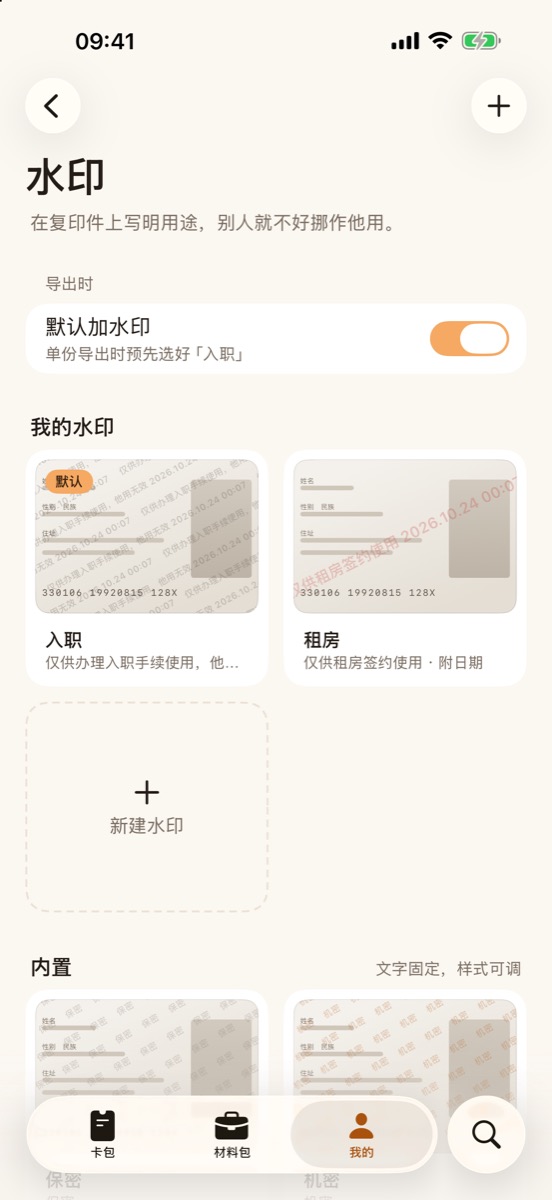
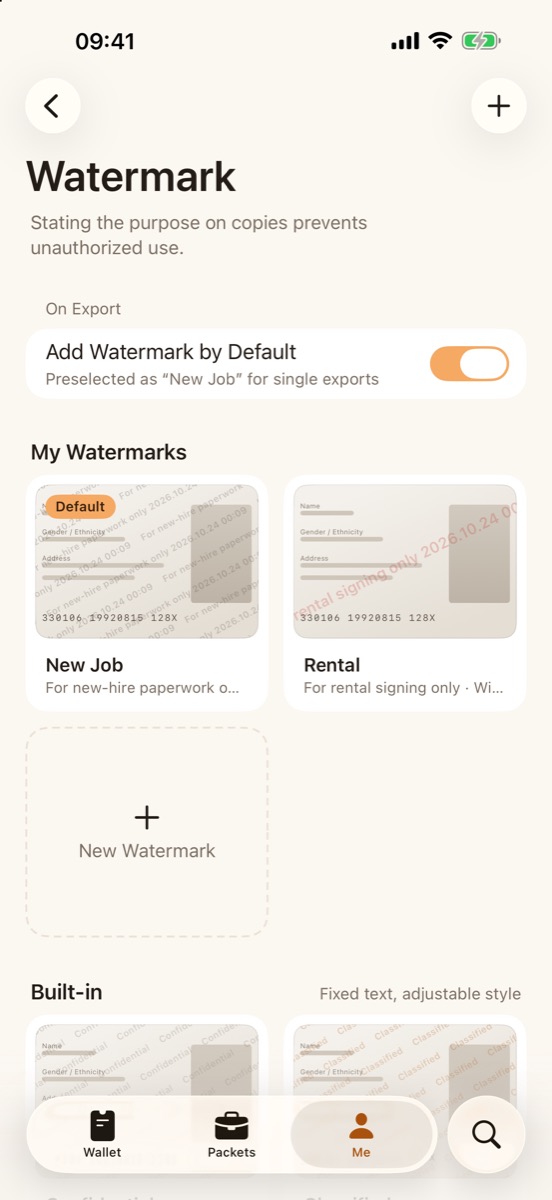
一键添加「仅供租房签约使用」等防挪用水印并自带导出日期,按纸张等比渲染,防范副本被二次冒用。
Stamp copies with purpose templates like "For rental application only" plus export dates. Rendered proportionally to prevent unauthorized reuse.
纯黑全屏高亮出示;展开 iPhone Duo 折叠大屏,正反两面同屏并排显示,比实物卡片更大更清晰。
Full-screen presentation mode with maximum brightness. Unfold iPhone Duo to inspect front and back sides side-by-side, larger than actual size.
截图Screenshots
隐私Privacy
价格Pricing
保存最多 10 份证件(上限 20 页),包含 4 种内置用途水印,扫描、识别、材料包与导出全部可用。
Store up to 10 documents (up to 20 pages) with 4 built-in purpose watermarks. Scanning, recognition, packets, and export fully included.
解锁无限证件与页数存储,完全自定义水印。按月或按年订阅,已存证件到期后永远保留。
Unlimited documents and pages, plus custom watermarks. Monthly or yearly subscription; existing documents stay yours forever.
查阅常见问题与解答,或随时发邮件与我们联系。
Browse our FAQ or email us anytime for assistance.